Si vous cherchez un
Téléviseur, moniteur, console de jeux ou câble HDMI
Vous vous êtes probablement déjà demandé :
Quelle est la véritable différence entre
HDMI 2.1 et HDMI 2.0
?
De nombreux acheteurs se concentrent uniquement sur les spécifications techniques et ignorent les cas d'utilisation concrets, ce qui conduit à des achats erronés et à un gaspillage d'argent.
Ce guide compare la bande passante, la résolution, les fonctionnalités de jeu, l'audio, la compatibilité et
cas d'utilisation
en langage clair pour vous aider à choisir la norme appropriée.
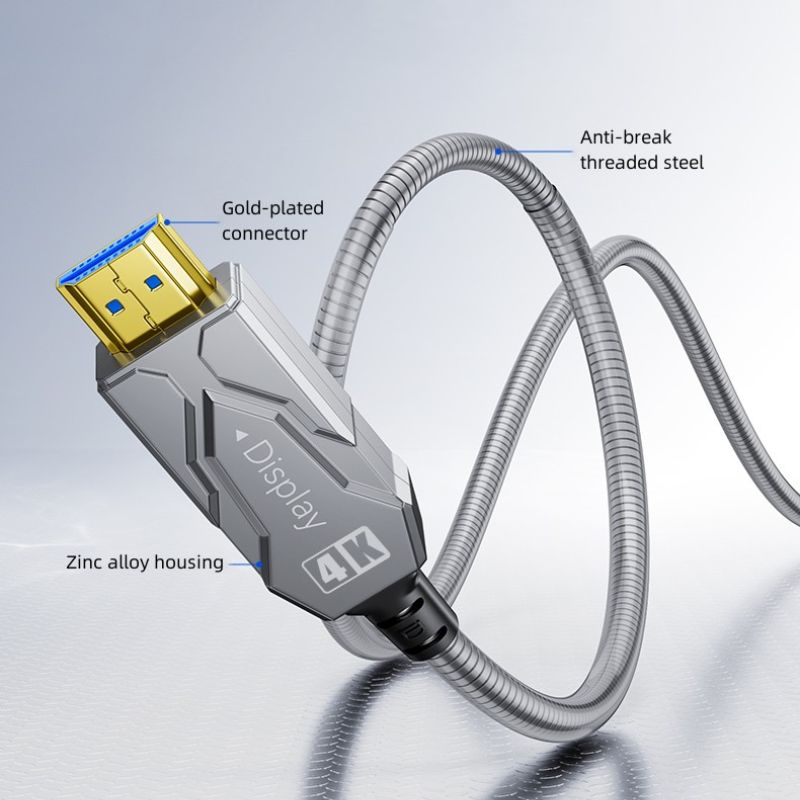
Qu'est-ce que l'HDMI 2.0 ?
Sorti en 2013,
HDMI 2.0
est l'interface la plus courante pour
Divertissement 4K
et les appareils du quotidien.
-
● Bande passante maximale :
18 Gbit/s
-
● Compatibilité : 4K à 60 Hz, HDR10, ARC, audio multicanal
-
● Idéal pour : le visionnage 4K de base, les écrans de bureau, le matériel pédagogique, les home cinémas standard
-
La norme HDMI 2.0 fonctionne parfaitement pour un visionnage occasionnel et une utilisation quotidienne.
Qu'est-ce que la norme HDMI 2.1 ?
-
● Bande passante maximale :
48 Gbit/s
(presque 3 fois plus rapide que HDMI 2.0)
-
● Compatibilité : 4K à 120 Hz, 8K à 60 Hz, HDR dynamique, eARC, VRR, ALLM, QFT
-
● Idéal pour : Jeux nouvelle génération, moniteurs à taux de rafraîchissement élevé, téléviseurs 8K, cinémas maison immersifs
-
Comparaison complète des spécifications : HDMI 2.1 vs HDMI 2.0
|
Fonctionnalité
|
HDMI 2.0
|
HDMI 2.1
|
|
Bande passante maximale
|
18 Gbit/s
|
48 Gbit/s
|
|
Résolution et rafraîchissement maximum
|
4K à 60 Hz
|
8K à 60 Hz / 4K à 120 Hz
|
|
Prise en charge HDR
|
HDR10
|
HDR dynamique
|
|
Retour audio
|
ARC
|
eARC
|
|
Fonctionnalités de jeu
|
Basique
|
VRR / ALLM / QFT
|
|
Câble recommandé
|
HDMI haute vitesse
|
HDMI ultra haute vitesse
|
|
Position
|
4K grand public
|
Audiovisuel et jeux vidéo haut de gamme
|
1. Cinéma maison et visionnage multimédia
-
● HDMI 2.0
Idéal pour les téléviseurs 4K standard, les vidéoprojecteurs et le streaming. Compatible 4K à 60 Hz et HDR10 pour les films, les séries et le visionnage en général.
-
● HDMI 2.1
Conçu pour les téléviseurs 8K, les projecteurs haut de gamme et les systèmes home cinéma de pointe. Compatible HDR dynamique et audio eARC sans perte pour une expérience cinématographique Dolby Atmos et DTS:X authentique.
-
2. Jeux vidéo et e-sport
-
● HDMI 2.0
Idéal pour le jeu occasionnel, les consoles anciennes et les moniteurs 1080p/1440p. Limité à la 4K à 60 Hz sans VRR/ALLM ; des déchirures d'écran et une latence plus élevée sont fréquentes.
-
● HDMI 2.1
Conçu pour PS5, Xbox Series X et moniteurs gaming. Compatible 4K à 120 Hz, VRR (réduction des déchirures d'image) et ALLM (mode automatique à faible latence) pour une expérience de jeu compétitive ultra-fluide.
-
3. Présentoirs de bureau et commerciaux
-
● HDMI 2.0
Idéal pour les écrans de bureau, les salles de conférence, les écrans éducatifs et l'affichage dynamique de base. La résolution 4K à 60 Hz permet de gérer les documents, les appels vidéo et les présentations à moindre coût.
-
● HDMI 2.1
Utilisé dans les moniteurs professionnels, les écrans médicaux, la signalétique haut de gamme et les réunions à distance ultra HD. Offre une profondeur de couleur élevée et une fluidité d'image optimale pour des visuels précis.
-
4. Appareils audio
-
● HDMI 2.0
Compatible avec les barres de son basiques et les anciens récepteurs. Limité à la technologie ARC ; ne prend pas en charge le son surround 3D sans perte.
-
● HDMI 2.1
Pour les barres de son haut de gamme et les amplificateurs home cinéma. eARC prend en charge l'intégralité du Dolby Atmos et du DTS:X sans compression.
-
5. Câblage résidentiel et commercial
-
● HDMI 2.0
Fiable pour les courtes distances (moins de 10 m) avec des câbles en cuivre standard. Idéal pour les configurations de bureau et le câblage domestique simple.
-
● HDMI 2.1
Nécessite des câbles en cuivre ou en fibre optique à très haut débit. Maintient une bande passante de 48 Gbit/s sur de longues distances, idéal pour une installation murale et des projets commerciaux.
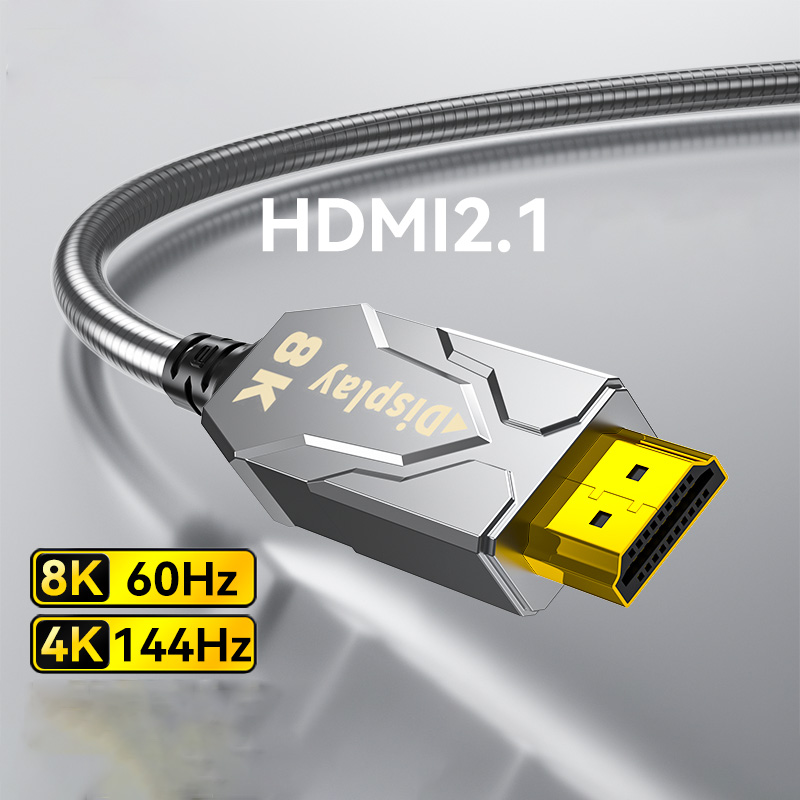
Principaux avantages de la norme HDMI 2.1
-
1. Bande passante beaucoup plus élevée
-
Le débit de 48 Gbit/s prend en charge la vidéo haute résolution non compressée, à fréquence de rafraîchissement élevée et à profondeur de couleur élevée, sans décalage ni scintillement.
-
2. Prise en charge 4K à 120 Hz et 8K à 60 Hz
-
Dépasse la limite 4K à 60 Hz de la norme HDMI 2.0 pour des jeux plus fluides et des films plus nets.
-
3. Fonctionnalités de jeu professionnelles
-
Le VRR élimine les déchirures d'image ; l'ALLM active le mode de jeu automatique ; le QFT réduit le délai d'entrée.
-
-
4. Audio eARC sans perte
-
Offre une prise en charge complète des formats Dolby Atmos et DTS:X pour un son de qualité cinéma.
Limitations de la norme HDMI 2.0
-
● Bande passante insuffisante pour la 4K à 120 Hz, la 8K ou une profondeur de couleur élevée
-
● Aucune fonctionnalité de jeu avancée pour le jeu compétitif
-
● ARC ne prend pas en charge l'audio 3D sans perte
-
● Ne convient pas aux systèmes audiovisuels haut de gamme, aux écrans professionnels ni aux installations à distance.
Oui, entièrement rétrocompatible.
Les ports et câbles HDMI 2.1 fonctionnent avec les appareils HDMI 2.0 et HDMI 1.4.
Cependant, les performances sont limitées par le
maillon faible
dans la chaîne.
Exemple : Un téléviseur HDMI 2.1 associé à un câble HDMI 2.0 ne fonctionnera qu’en 4K à 60 Hz.
Avez-vous besoin d'un câble spécial pour HDMI 2.1 ?
L'utilisation d'un câble HDMI 2.0 standard peut entraîner :
-
● Écran noir ou clignotant
-
● Impossible d'activer la résolution 4K à 120 Hz
-
● Pertes de trames et signal instable
● Pour les longues distances, utilisez
câbles HDMI à fibre optique
.
Choisissez HDMI 2.1 si vous :
-
● Utiliser PS5 / Xbox Series X
-
● Possédez-vous un téléviseur ou un moniteur de jeu 4K 120 Hz ou 8K ?
-
● Vous recherchez une expérience de jeu fluide et sans latence, avec un taux de rafraîchissement élevé ?
-
● Créez un home cinéma Dolby Atmos
-
● Câblage longue portée ou encastré nécessaire
Choisissez HDMI 2.0 si vous :
-
● Regardez du streaming 4K et la télévision classique
-
● Besoin d'écrans pour le bureau, l'école ou une utilisation courante
-
● Privilégier les surclassements économiques
-
● Utilisez des appareils plus anciens et n'avez pas besoin de taux de rafraîchissement élevés
FAQ
1. Le HDMI 2.0 peut-il fonctionner à 120 Hz ?
Oui, mais seulement en 1080p ou 1440p.
Ne peut pas prendre en charge de manière stable la résolution 4K à 120 Hz.
.
2. Tous les ports HDMI 2.1 sont-ils de 48 Gbit/s ?
Non. Certains appareils portent la mention « HDMI 2.1 » mais leurs fonctionnalités sont limitées. Vérifiez si
48 Gbit/s complets
et
4K à 120 Hz 4:4:4
.
3. Ai-je besoin d'une connexion HDMI 2.1 pour regarder la télévision normalement ?
Non. Une connexion HDMI 2.0 est suffisante pour un usage quotidien.
4. La norme HDMI 2.1 est-elle adaptée aux longues distances ?
Oui. Utilisez des câbles à fibre optique pour conserver un débit maximal de 48 Gbit/s.
Conclusion
HDMI 2.0
est un choix fiable et économique pour une utilisation basique en 4K, au bureau et à domicile.
HDMI 2.1
représente la future norme, offrant une bande passante plus élevée, des mouvements plus fluides, une meilleure expérience de jeu et un son sans perte pour les configurations haut de gamme.
Règle simple :
Choisissez HDMI 2.0 pour une utilisation quotidienne ; sélectionnez
HDMI 2.1
Pour les jeux vidéo, un taux de rafraîchissement élevé, la 8K et le home cinéma haut de gamme.
 français